
Create a work order from the customer's call, tie it to the right service location and unit, put it on the schedule and see where every job stands in one list. No credit card. No time limit.
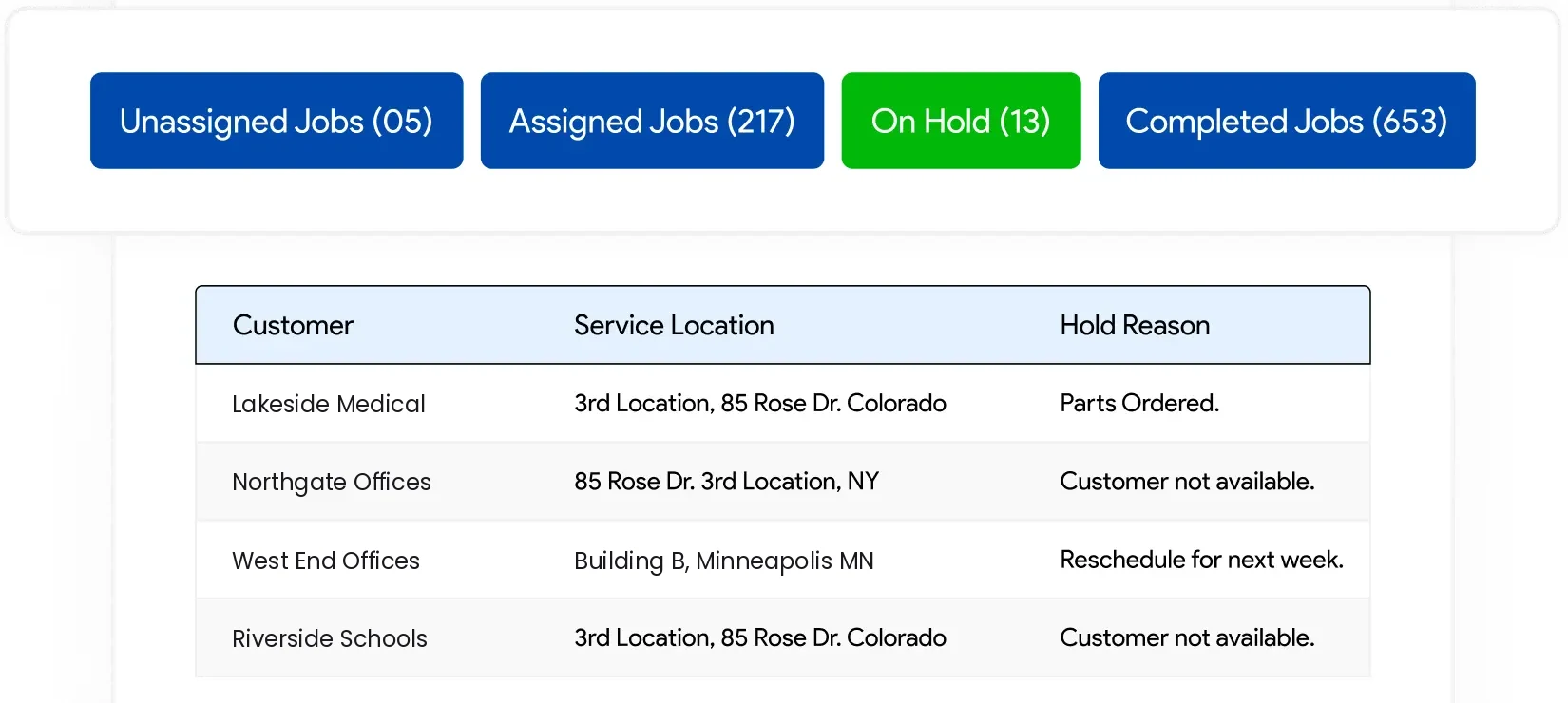
The customer has six buildings. The work order says the company name and a phone number, and the tech calls the office to find out where to go.
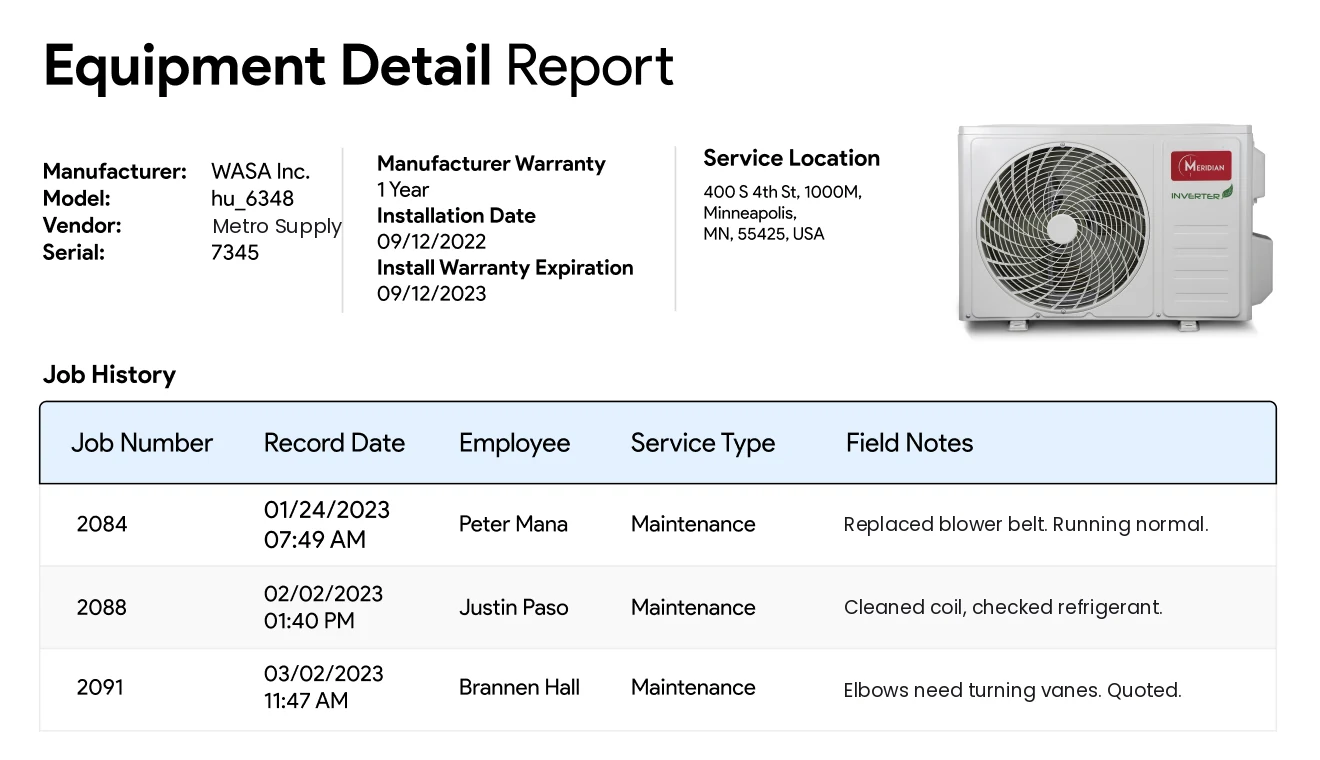
The last visit is on a sheet in a folder at the office. The tech starts from scratch, or calls in and waits.
The job was finished on Tuesday. The work order is still on a clipboard, and the invoice waits until someone types it up.
In IndusTrack every work order belongs to a customer, a service location and the equipment you worked on. The history builds itself, and for the office it's free.
Pick the customer, the service location and the unit, and add the problem and site notes while the customer is still on the phone.
Drop it on the scheduling board for the right tech and day. Every job shows its status: unassigned, assigned, on hold or done.
Turn the finished work order into an invoice without retyping it. The visit is saved to the customer's and the unit's history.
Want your techs to see and complete work orders on their phones? That's Pro. Your office setup stays exactly as it is.
Start with the office today. Add field tech licenses when your techs need jobs and equipment history on their phones. Office users stay free either way.
Free $0Every office user |
Pro Per techOnly field techs pay |
|
|---|---|---|
| Run the office | ||
| Unlimited office usersOwners, dispatchers, office managers, estimators | ✓ | ✓ |
| Customers and contactsFull job history for every customer | ✓ | ✓ |
| Multiple service locationsOne customer, many sites | ✓ | ✓ |
| Scheduling and dispatch boardOffice view | ✓ | ✓ |
| Work orders | ✓ | ✓ |
| Estimates and invoices | ✓ | ✓ |
| Customer equipment trackingService history by unit | ✓ | ✓ |
| Basic inventory | ✓ | ✓ |
| Reports | ✓ | ✓ |
| Connect the field | ||
| Technician mobile appJobs, customer history and equipment on site | ✕ | ✓ |
| Advanced dispatching | ✕ | ✓ |
| QuickBooks Online and Desktop syncIncluding QuickBooks Payroll | ✕ | ✓ |
| Service contracts | ✕ | ✓ |
| Payment processing | ✕ | ✓ |
| Full inventoryWarehousing, serialized, barcodes | ✕ | ✓ |
| Proposals, templates and automated reminders | ✕ | ✓ |
| Crew management and customer portal | ✕ | ✓ |
| Good to know | ||
| Credit card to start | Not needed | Not needed |
| Contract | None | None |
| Setup fee | None | None |
| GPS vehicle trackingHardware add-on | Add-on | Add-on |
| Start Free | See Pro pricing | |
Not sure which you need? Talk to the founder for 15 minutes. He'll tell you honestly.
"We have over 200 people using this system every day. [...] When something comes up, someone actually answers."
Looking for the whole office system? See free field service software, or the pages for HVAC, plumbing and electrical contractors.
Free for every office user. No credit card, no time limit, no contract.
Built for commercial HVAC, plumbing, electrical and mechanical contractors.