
IndusTrack
Start Free
Feature Overview

Everything your office and field team need in one connected system.

IndusTrack gives commercial contractors one place to run customers, dispatch, work orders, equipment history, invoicing, and QuickBooks sync without piecing together six different tools.

No cost for office users. Upgrade when your field team needs mobile access.
Built for commercial contractors Designed for 5 to 50 technicians Office, field, and invoicing connected
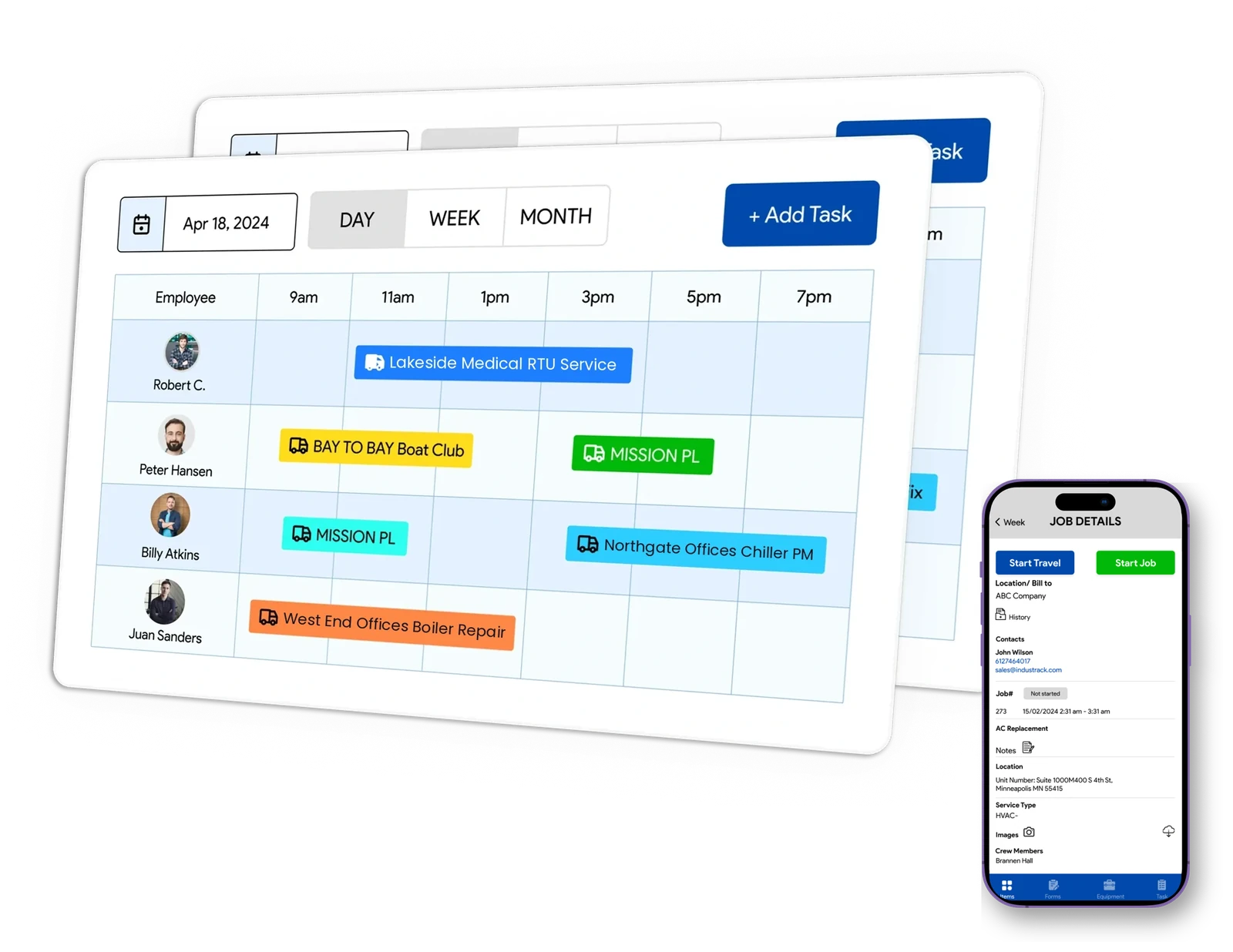
IndusTrack scheduling board with jobs assigned to technicians, and the job details screen on a technician's phone
15
YearsServing commercial contractors
$0
Office usersNo cost for office users
1
SystemFor customers, dispatch, and invoicing

The core platform, without the clutter.

IndusTrack is built around the workflows commercial contractors actually use every day. Customers, jobs, equipment, technicians, and invoices all stay connected.
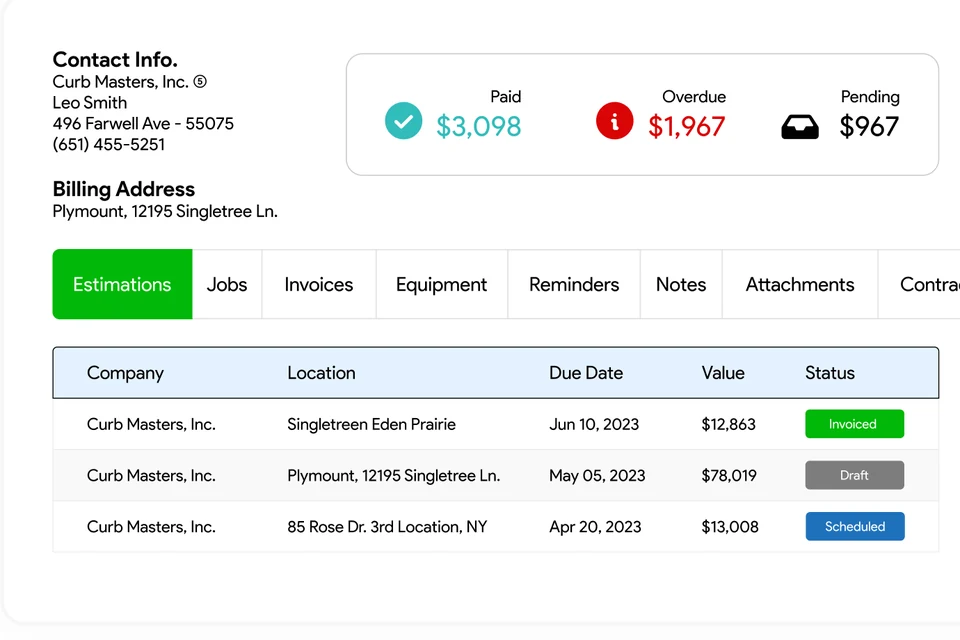
Customer record in IndusTrack with contact info, paid, overdue and pending totals, and estimates by location

Customer CRM

Track every customer, location, contact, and service record in one place so the office has the full picture before the phone rings again.
  • Multi-site customer structure
  • Connected job and invoice history
  • Cleaner handoff across the office team
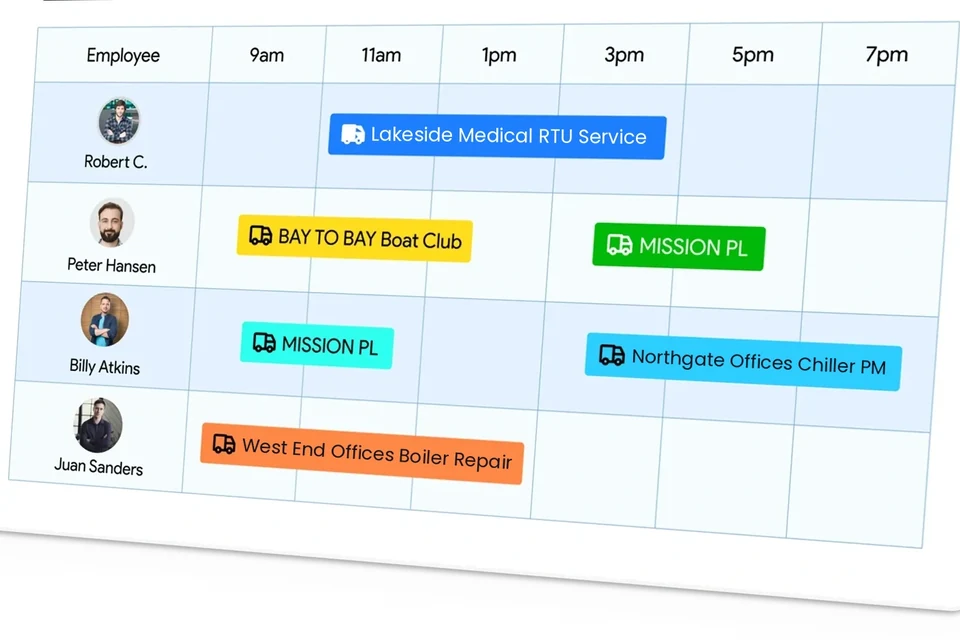
IndusTrack scheduling board with each technician's jobs for the day

Dispatch & Scheduling

Run the board from one place. Assign jobs fast, move calls when the day changes, and keep the office and field aligned.
  • Visual dispatch view
  • Technician assignment visibility
  • Less chasing for status updates
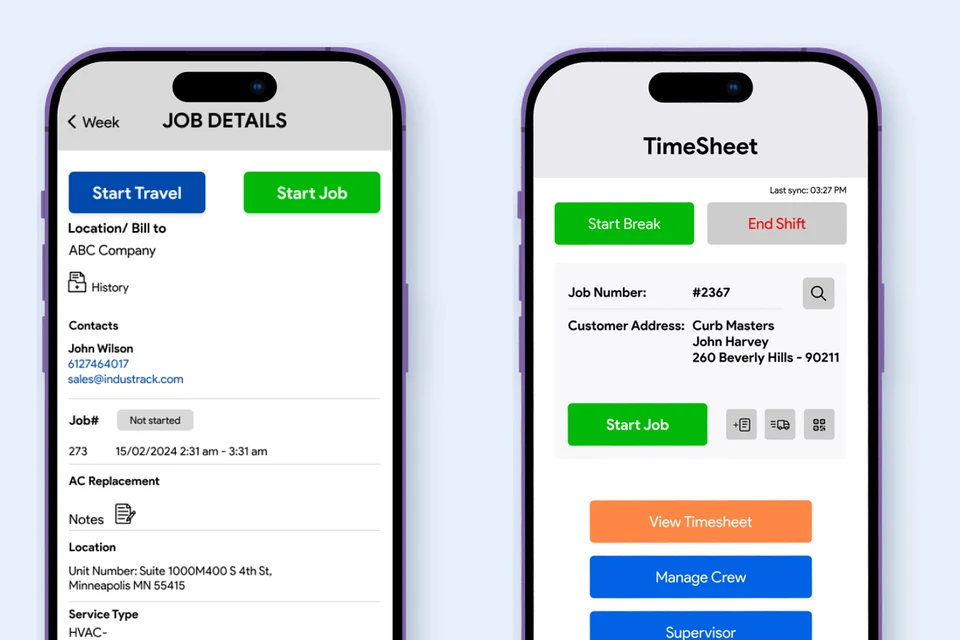
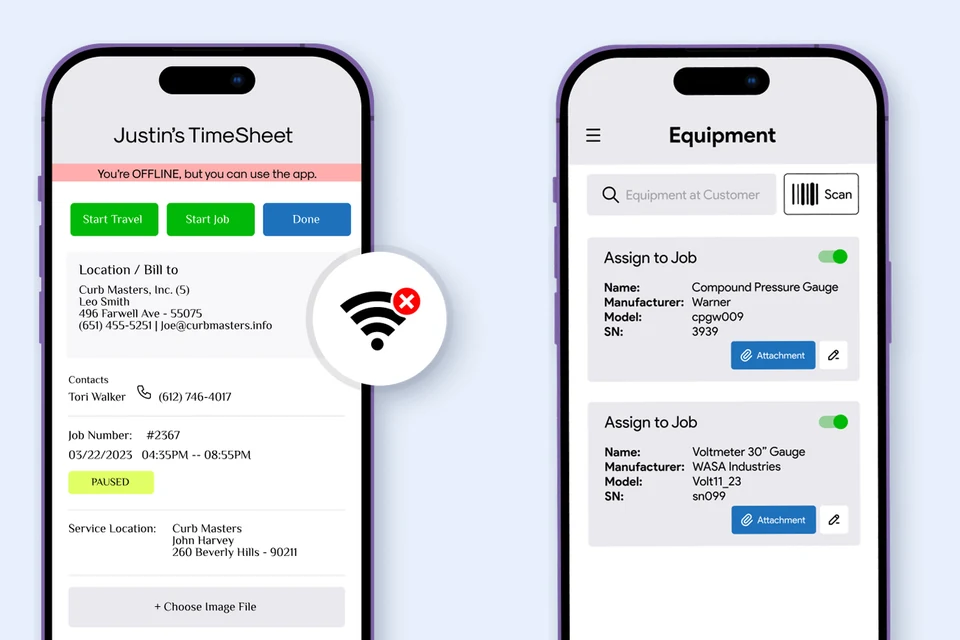
IndusTrack mobile app job details and timesheet screens on two phones

Work Orders

Keep service calls organized from first dispatch to completed work, with notes, photos, updates, and job details tied together.
  • Structured service records
  • Better office-to-field handoff
  • Less missing job information
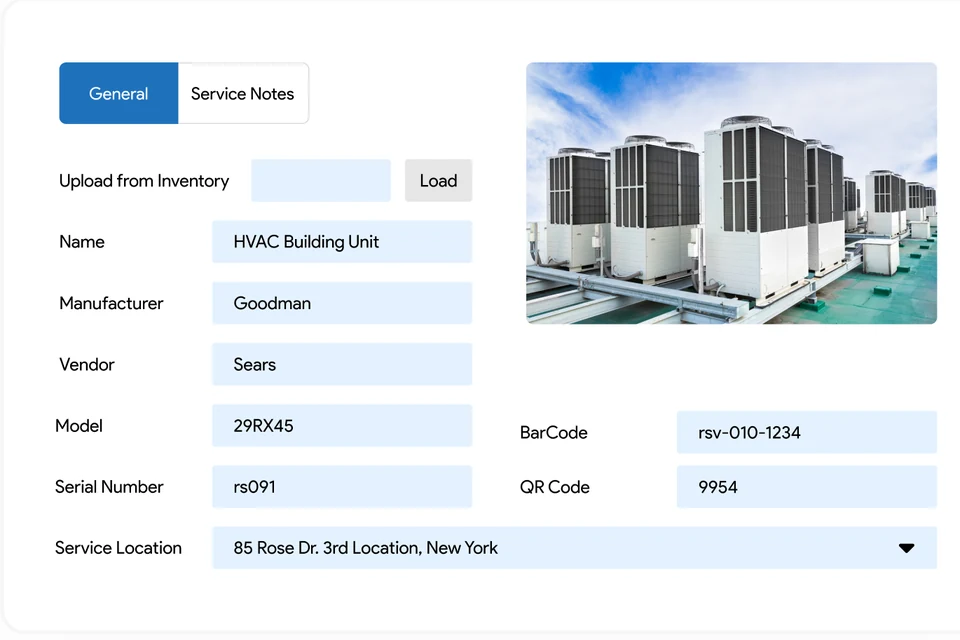
Equipment record in IndusTrack for an HVAC building unit with photo, model, serial number, barcode and service location

Equipment History

Track RTUs, boilers, split systems, and more with service history tied to the customer site so repeat visits do not start from scratch.
  • Site-based asset records
  • Service history and notes
  • Better continuity across technicians
IndusTrack mobile app working offline, and the equipment screen with barcode scan

Mobile for Field Techs

Give field technicians the customer history, service details, notes, and context they need before they arrive on site.
  • Mobile work order access
  • Photos, notes, and updates
  • Faster field communication
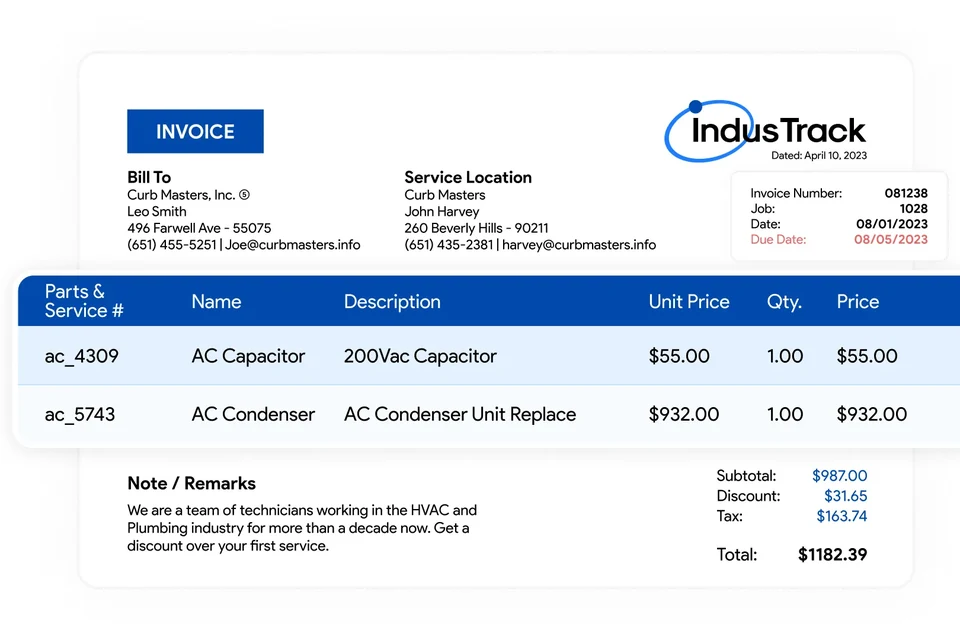
IndusTrack invoice with bill to, service location and parts and service lines

Invoicing & QuickBooks

Move from completed work to invoice faster, and keep accounting aligned without rebuilding the same information twice.

  • Estimate to work order to invoice flow
  • Less duplicate entry
  • QuickBooks sync when you upgrade

Eight things commercial service work depends on.

Buildings with many service locations, equipment that needs a history, several technicians on one job, proposals and service contracts. IndusTrack is built around them.

  1. One customer, many buildings. Each service location has its own address, contacts, equipment and job history, and every job, estimate and invoice is tied to the right location.
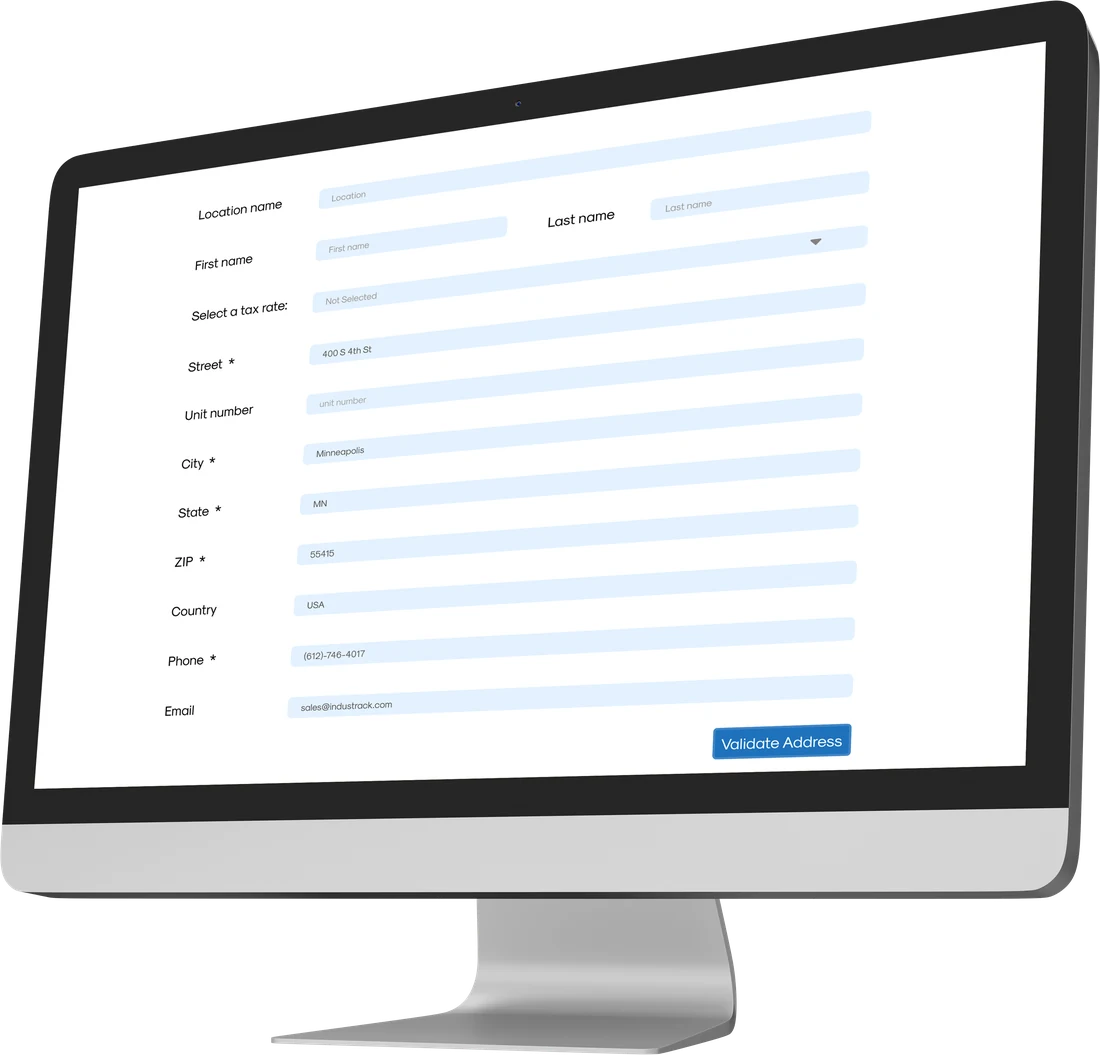
    IndusTrack form for adding a service location with its own address, contact and tax rate
  2. Every RTU, boiler, chiller and panel keeps the work done on it: each job, the technician and their service notes, plus the installation date, warranty, model and serial number. Technicians scan the barcode or QR code to pull it up on site.
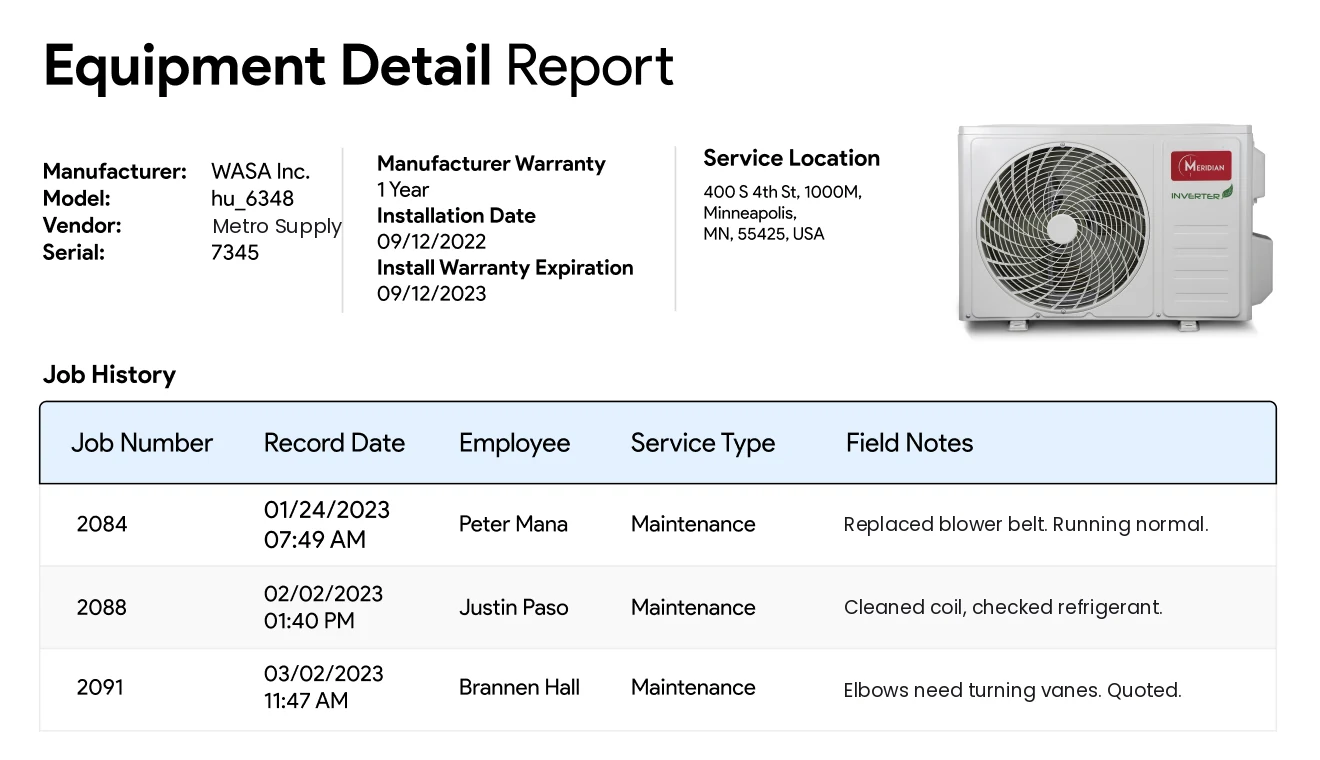
    IndusTrack equipment detail report with manufacturer, model, serial, warranty, installation date, service location and job history with each technician's field notes
  3. Attach your work order, checklists, inspection forms and files to the job. The technician fills them in on the phone, and they stay with that job.
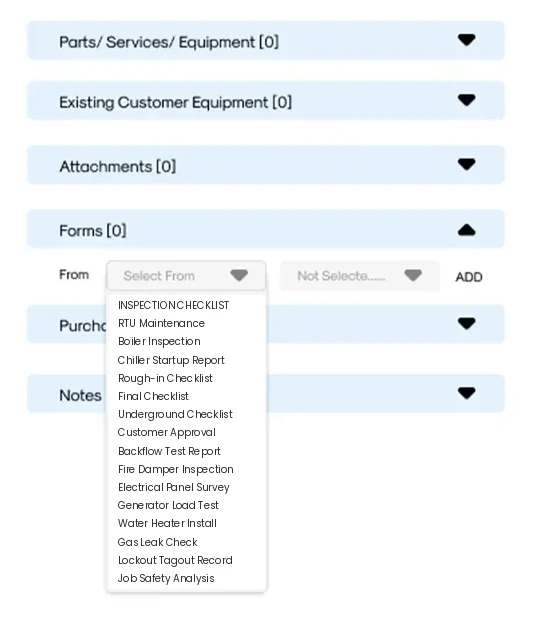
    Job in IndusTrack with equipment, attachments and a list of forms such as RTU maintenance, boiler inspection and backflow test report
  4. Several technicians often work the same job. Each one's notes are saved with their name and the date, so you see the whole history of the job, not just the last note.
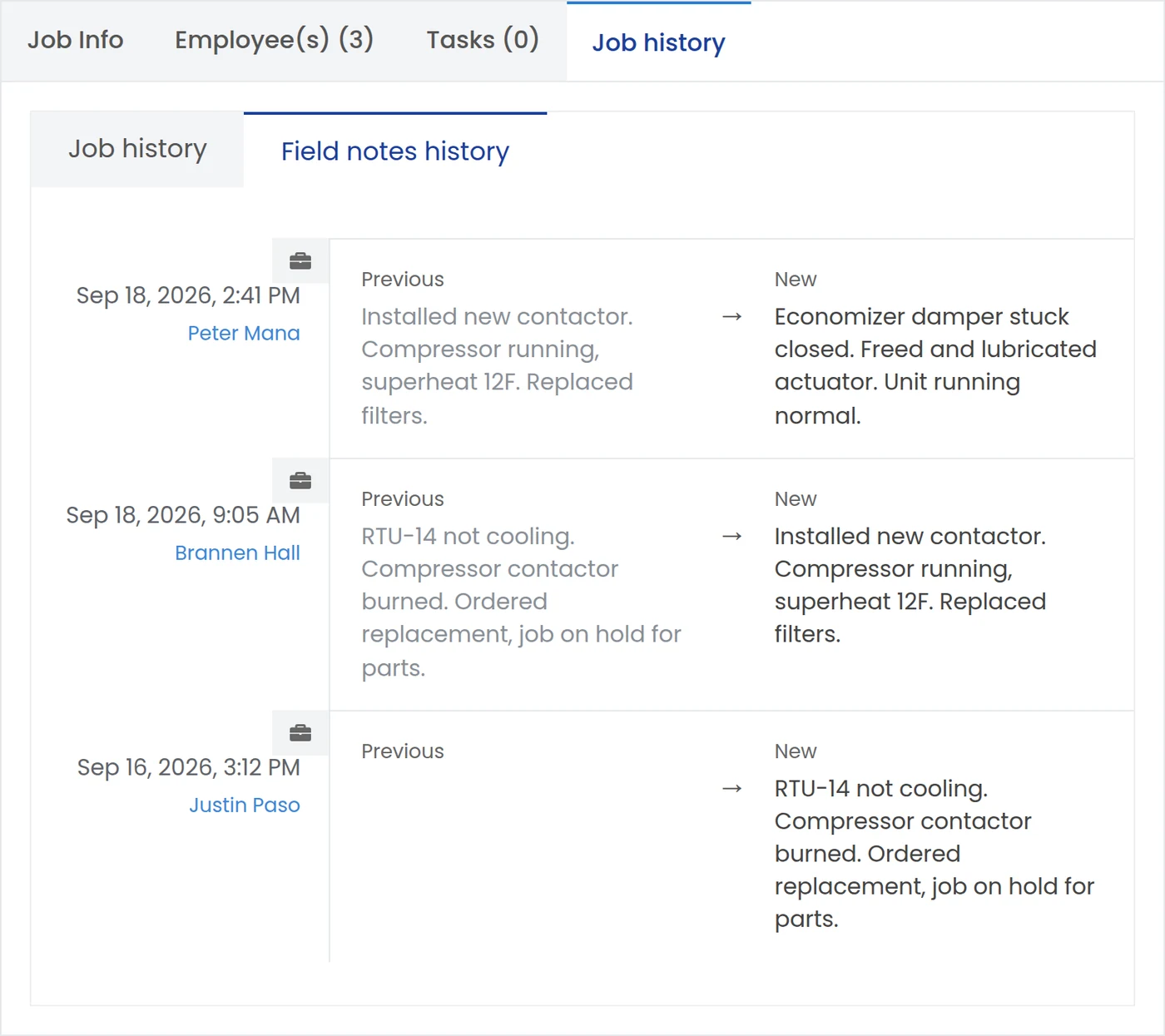
    IndusTrack field notes history for one job, with each technician's note saved with their name and the date
  5. See which technician was sent to each job and when, and follow each job from not started to in progress, completed and invoiced.
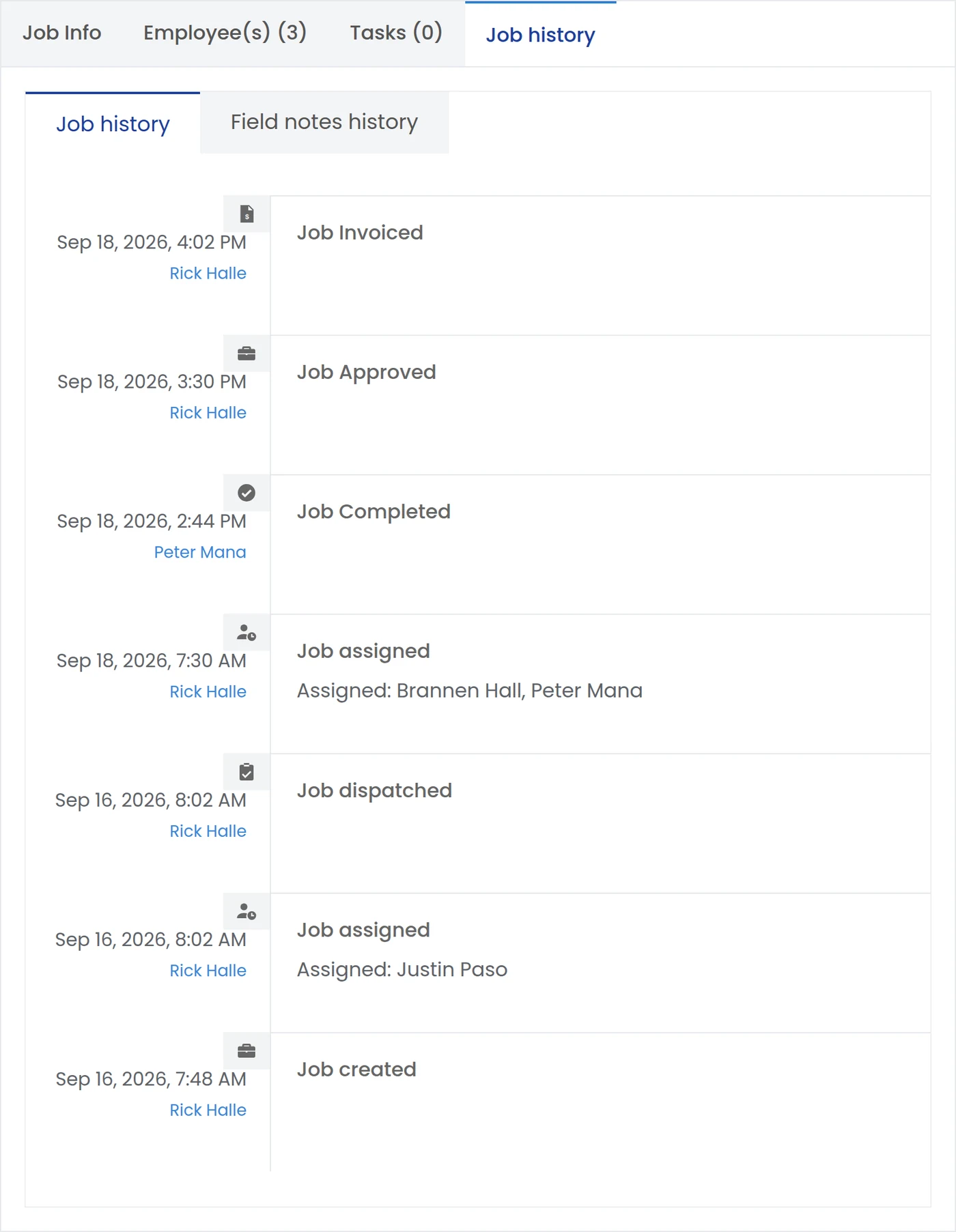
    IndusTrack job history showing when the job was created, assigned to each technician, dispatched, completed, approved and invoiced
  6. See every job by where it stands: unassigned, assigned, on hold, approved and completed. Jobs on hold show the reason, such as parts ordered or customer not available, so nothing sits forgotten.
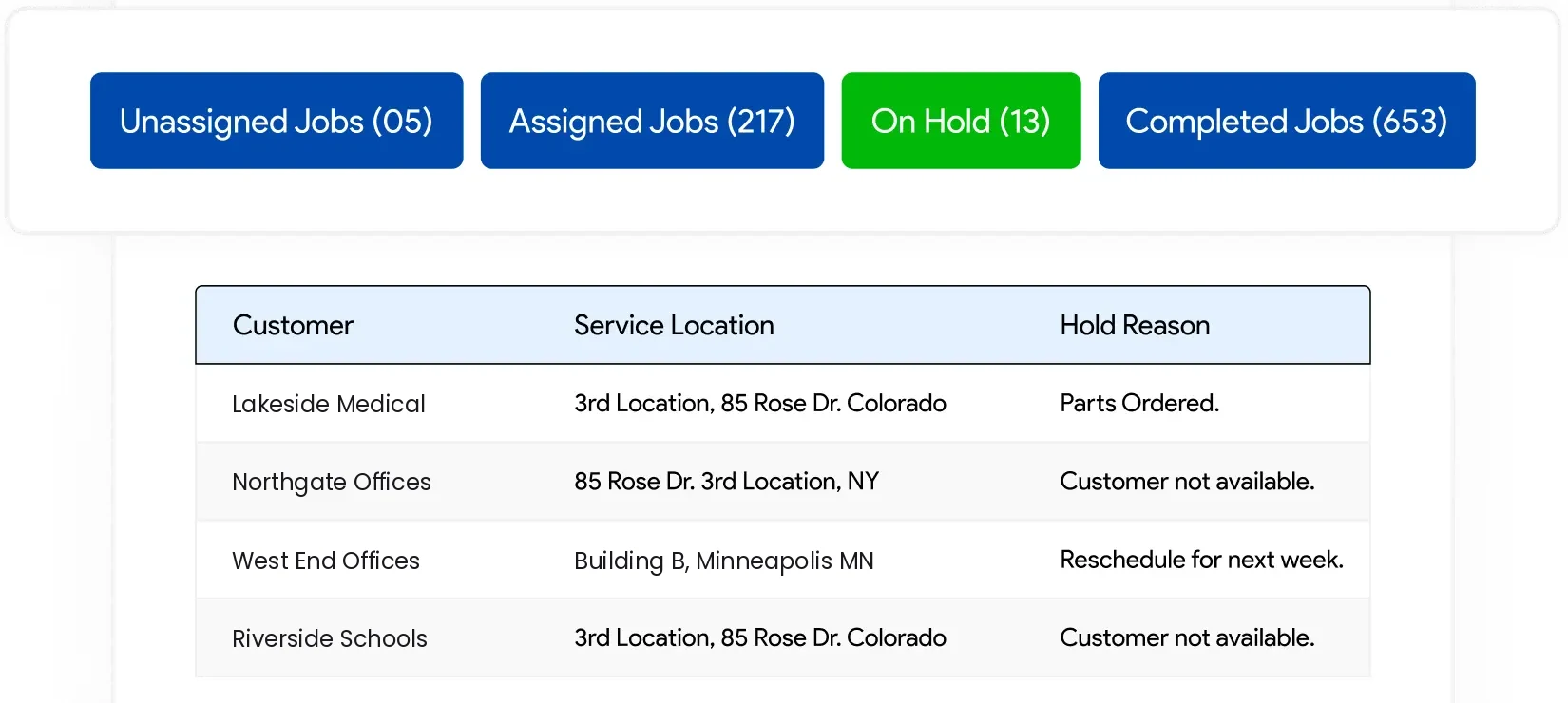
    IndusTrack job queues for unassigned, assigned, on hold and completed jobs, with the hold reason for each job
  7. Send proposals built from your own template, with your logo, line items and terms. The customer can approve, reject or request a change, and sign.
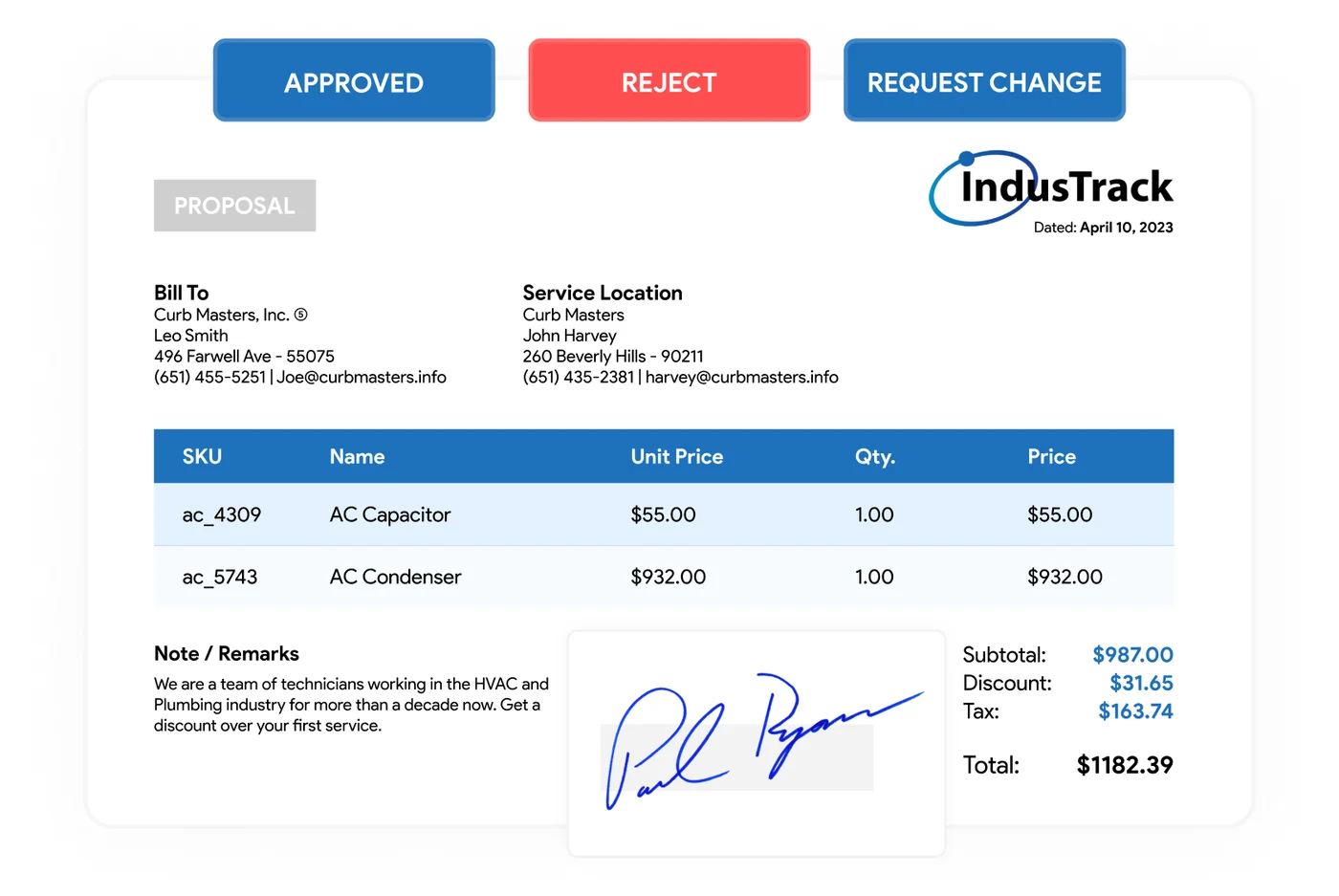
    IndusTrack proposal with approve, reject and request change buttons and the customer's signature
  8. Track service contracts by location and get reminders before a contract renews, so recurring work and renewals do not slip.
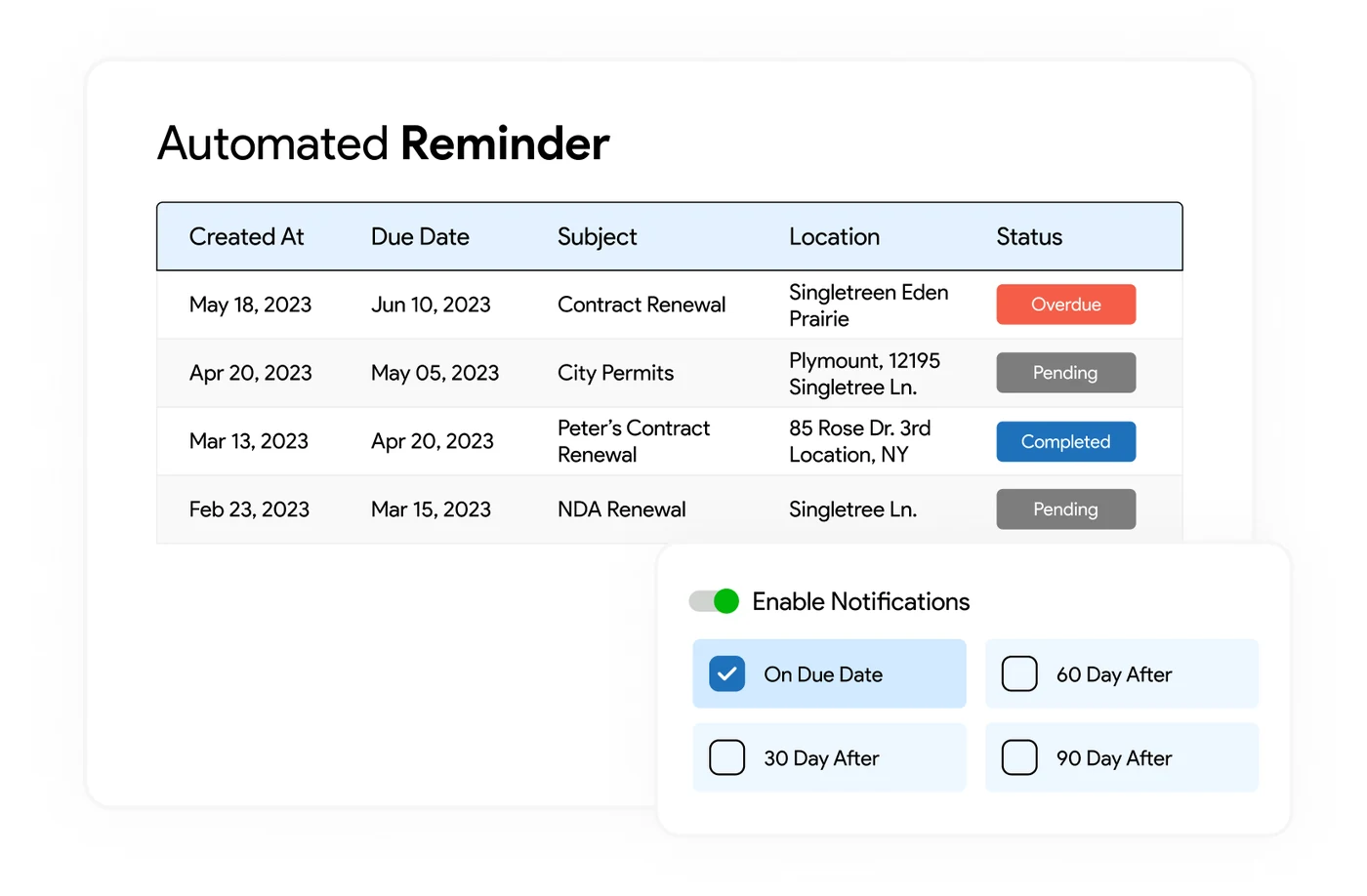
    IndusTrack automated reminders for contract renewals by location, with notification settings

Simple enough to understand. Capable enough to run the operation.

Not tiny software. Not bloated enterprise complexity. The right fit for a commercial service team that wants practical workflows without the overhead.

What matters
Generic field software
IndusTrack
Commercial contractor focus
Often mixed or residential-first
Built for commercial service
Multi-site customers and equipment history
Usually limited
Core workflow
Connected office + field + invoicing flow
Often fragmented
One system
Unlimited office users
Usually no
No cost for office users
Right-sized for 5 to 50 technicians
Too simple or too heavy
Designed for it

Run your service operation in one system.

Customers, dispatch, work orders, equipment history, invoicing, and accounting handoff all connected in one platform built for commercial contractors.

No cost for office users. Upgrade when your field team needs mobile access.